Salary TDS Not Showing in 26AS: What to Do
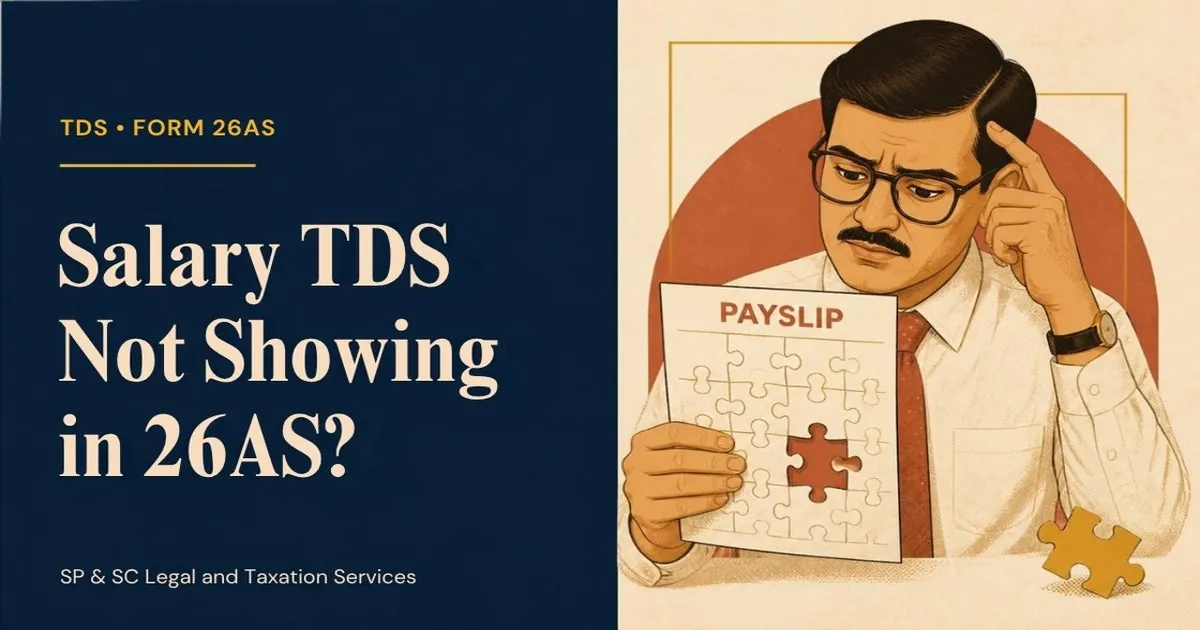
If TDS deducted from your salary is not showing in Form 26AS, contact your employer immediately. They likely haven't filed their TDS return or made an error.
Salary TDS Not Showing in 26AS: What to Do
Short answer: If TDS deducted from your salary is not reflecting in your Form 26AS, you must immediately contact your employer's HR or accounts department. This issue typically arises because the employer has failed to deposit the tax or has not filed their quarterly TDS return (Form 24Q) correctly. You cannot claim credit for this TDS in your income tax return until it appears in your Form 26AS or AIS, so resolving it with your employer is the first and most critical step.
Why is TDS on my salary not reflecting in Form 26AS?
The most common reason is a delay or error on your employer's part. The TDS amount shown in your payslip will only appear in your Form 26AS after your employer (the deductor) performs two key actions: deposits the tax with the government and correctly files a quarterly TDS return (Form 24Q), mentioning your PAN and the tax details.
Common reasons for a mismatch include:
- Late Deposit: The employer deducted the tax but missed the deadline for depositing it with the government.
- Late Filing of TDS Return: The employer deposited the tax but filed the TDS return after the due date.
- Incorrect PAN: Your employer may have entered your PAN incorrectly in their TDS return.
- Processing Time: It takes about 7-10 days for the details to reflect in Form 26AS after the employer files their return. If they filed just recently, you may need to wait.
What documents prove that TDS was deducted?
Your monthly payslips and Form 16 are the primary documents that prove TDS was deducted by your employer. A payslip is an initial record, while Form 16 explained is the annual certificate your employer is legally required to provide. Form 16 has two parts:
- Part A: Generated from the TRACES portal of the Income Tax Department. It contains details of the TDS deducted and deposited quarterly. The information in Part A should perfectly match your Form 26AS.
- Part B: An annexure containing the detailed computation of your salary income and tax.
If the TDS shows in your payslip but not in Part A of your Form 16 or your Form 26AS, it is a clear indicator that your employer has failed to report the deposited tax correctly.
Can I still claim TDS credit if it's not in my 26AS?
No, you should not claim TDS credit if it is not reflected in your Form 26AS or Annual Information Statement (AIS). The Income Tax Department's automated processing system at the Centralized Processing Centre (CPC) cross-verifies the TDS claimed in your Income Tax Return (ITR) with the data in Form 26AS/AIS.
If you claim TDS that is not visible to the department, your claim will be rejected, and you will receive a tax demand notice under Section 143(1) for the differential amount, plus interest under Section 234B and 234C. It is always better to get the discrepancy resolved before you e-file your ITR online.
What steps should I take to resolve this issue?
You must be proactive to ensure your tax credit is not lost. Follow these steps methodically:
- Verify the Facts: Download your latest Form 26AS and AIS from the income tax portal. Compare the TDS figures with your payslips and Form 16 (if issued).
- Contact Your Employer: Email your HR or payroll department immediately. Clearly state the discrepancy, mentioning the specific months for which TDS is missing. Attach copies of your payslip and a screenshot of your Form 26AS.
- Request Proof: Ask the employer for the TDS return acknowledgement and the challan details for the deposited tax. This puts the onus on them to prove they have complied.
- Follow Up: If your employer confirms they made an error, ask for a timeline for filing a revised TDS return (a correction statement). Follow up in writing if the deadline is not met.
- Check for Updates: Once the employer files the correction statement, it usually takes 7-10 days for the changes to reflect in your Form 26AS.
Employer's Responsibility vs. Your Action Plan
Resolving TDS issues requires a coordinated effort. Here’s a breakdown of who is responsible for what:
| Your Action Plan | Employer's Responsibility |
|---|---|
| Check Form 26AS, AIS, and TIS regularly, not just at year-end. | Deduct tax at the correct rate under Section 192. |
| Immediately inform HR/Accounts of any discrepancy in writing. | Deposit the deducted TDS with the government by the due date. |
| Ensure your PAN is correctly recorded with your employer. | File accurate quarterly TDS returns (Form 24Q) on time. |
| Keep payslips and Form 16 as proof of deduction. | Correctly quote the employee's PAN in the TDS return. |
| Do not file your ITR until the TDS credit is fully reflected. | Issue Form 16 by the due date (June 15th of the following year). |
| Escalate if the employer is unresponsive. | File a revised TDS return to rectify any errors promptly. |
What are the consequences for an employer who fails to deposit TDS?
The law places the responsibility of TDS deduction and deposit squarely on the employer. Failure to comply has severe consequences:
- Interest: The employer is liable to pay interest under Section 201(1A) on the amount of TDS not deposited.
- Penalty: A penalty equal to the amount of tax not deducted or paid can be levied under Section 271C.
- Prosecution: For willful failure to deposit TDS with the government, the employer (including directors of a company) can face rigorous imprisonment for a term between three months and seven years, along with a fine, under Section 276B of the Income Tax Act.
Knowing these consequences can be helpful when communicating with an unresponsive employer, as it highlights the seriousness of their non-compliance.
Worked example
Scenario: Vikram is a marketing manager in Bengaluru with an annual salary of ₹20 lakh. For the first quarter of the financial year 2026-27 (April-June 2026), his employer deducted TDS of ₹25,000 per month, totaling ₹75,000.
Problem: In August 2026, Vikram checks his Form 26AS. He sees a credit of only ₹50,000. The TDS for June 2026 is missing. The due date for the employer to file the Q1 TDS return was 31st July 2026.
Resolution Steps:
- Vikram's Action: He immediately emails his company's payroll head. He attaches his June payslip showing the ₹25,000 deduction and a screenshot of his Form 26AS showing only ₹50,000.
- Employer's Investigation: The payroll department reviews their records. They discover that while they deposited the TDS for June, their CA made a data entry error and missed including Vikram's TDS details for that month while filing the Form 24Q return.
- Correction: The employer directs their CA to file a correction statement (revised return) for the first quarter.
- Outcome: Ten days after the revised return is filed, Vikram checks his Form 26AS again. The missing ₹25,000 now reflects, and his total TDS credit for the quarter is correctly shown as ₹75,000. He can now proceed with his tax planning with accurate data.
Common mistakes
- Filing ITR with a Mismatch: Claiming TDS that is not in Form 26AS will almost certainly trigger an automated tax demand notice. Always resolve the discrepancy first.
- Last-Minute Checks: Waiting until the ITR filing deadline (31st July) to check your Form 26AS leaves you with no time to get corrections made by your employer.
- Relying Only on Payslips: While payslips are proof of deduction, the Income Tax Department only considers the data reflected in Form 26AS/AIS as the final basis for giving tax credit.
- Not Creating a Paper Trail: Making verbal requests to HR can be ineffective. Always communicate via email to have a dated record of your requests.
- Ignoring the Issue: Failing to pursue the matter can lead to you paying the tax out of your own pocket to avoid departmental action, resulting in a direct financial loss.
How SP & SC helps
Navigating TDS discrepancies can be frustrating, especially with unresponsive employers. SP & SC Legal and Taxation Services provides end-to-end support for your income tax filing needs. We begin by thoroughly reconciling your payslips and bank statements with your Form 26AS and AIS. If we find a TDS mismatch, we draft professional communications to your employer on your behalf, citing the relevant legal provisions to ensure a prompt response. Should the employer fail to comply, we can assist in escalating the matter to the appropriate Income Tax authorities to safeguard your rightful tax credit, preventing you from facing undue tax demands.
Frequently asked questions
How long does it take for TDS to reflect in Form 26AS after the employer files the return?
Typically, once an employer files their quarterly TDS return (Form 24Q), the information is processed and reflected in the employee's Form 26AS within 7 to 10 working days.
What if my previous employer did not deposit TDS?
The process is the same. You must contact the previous employer and ask them to deposit the tax and file the return. If they are unresponsive, you may have to pay the tax yourself to complete your ITR filing and then separately pursue legal recovery from the ex-employer.
Can I sue my employer for not depositing TDS?
Yes, but this is a final resort. The Income Tax Act itself has provisions for penalizing and prosecuting the employer. Your first step should be to use these provisions by escalating the issue to the Jurisdictional Assessing Officer (TDS). Civil action for recovery is also possible but can be a lengthy process.
My Form 16 shows TDS, but 26AS does not. Which is correct?
Form 26AS is the definitive statement for the Income Tax Department. A mismatch indicates your employer has generated and given you a Form 16 but has failed to correctly report and credit the tax to the government's account against your PAN. The employer must file a revised TDS return.
Will I get a refund for tax deducted but not appearing in 26AS?
No. A tax refund is only processed for taxes that the government has actually received. If your employer deducted TDS but never deposited it, that amount is not with the government, and therefore no credit or refund can be issued against it until the employer pays it.
Get a fixed-fee quote
If you are facing issues with TDS mismatches or have received a tax notice, don't wait. Share your documents with us for a confidential review, and we will provide a written fixed-fee quote for resolving the matter end-to-end. Contact SP & SC today via our website or on WhatsApp at +91 90356 74566 to ensure your taxes are filed accurately and you receive every rupee of credit you are entitled to.
Written by
SP & SC Editorial
Editorial team at SP & SC Legal and Taxation Services — practising advocates, chartered accountants, and company secretaries publishing hands-on guidance from live client files.
Next steps
What to do next
Guides help you decide. If you need an advocate, CA, or CS on your side, the SP & SC team files, drafts, and represents.